Friday, November 29, 2013

Group 4 Tools

Zoo Burst


I created the above presentation using ZooBurst, which is a site I hadn't heard of before.  I chose to reflect on this site as I like finding new technologies to learn about and add to my toolbox.  I believe that this could be another site that would be very beneficial to younger students for it's simplicity and creativity.  It was very easy to learn how to use this platform and therefore would be quite easy to explain to students how to navigate.

ZooBurst has the potential to become a very informative ICT, as users are able to display a lot of information on multiple slides.  As it is an interactive site as well, it would be sure to keep the interest of younger students very easily.  I also like that hyperlinks can be added to the text, which would help in ensuring that students can be introduced to information and then have the knowledge expanded upon.  As stated, because of how it is presented, it is much better student to primary students, than older ones.

Google Maps

I'm sure that most people are familiar with the Google Maps interface, except my father of course; who still uses the paper version of yesteryear.  Google Maps has been through immense changes over the years and gaining much internet popularity with the interesting things that can be found.  I believe that Google Maps could be incorporated into many different classroom environments successfully.  It would be especially useful in Geographical studies, as students could discover exact locations and view the environment.

Positives of Google Maps include:
  • Ability to find locations easily
  • Able to display directions
  • High quality pictures
  • Able to see locations you may wish to visit because of picture interface
Negatives of Google Maps include:
  • Most pictures are out of date
  • Can only be accessed with internet (like most technologies available)
  • Privacy doesn't exist
Interesting
  • Street views, enables you to see precise location of landmark next to others
  • Certain screen views prove to be interesting


Google Maps is a useful ICT for both the classroom environment and personal use.  As I wish to teach History as one of my teaching areas, it could be a useful tool for viewing how the environment has changed even over a few years.

Dipity

The final tool I decided to reflect upon is Dipity.  This is another ICT that I haven't used before, so I definitely decided to use one where I can learn more about this wonderful world of the internet and ICTs.


I decided to create a simple timeline of important events within my life, just to see how easy it was to create a timeline.  All Dipity asks you to do is input a description and date and it does the rest.  Dipity would be an extremely useful tool for History teachers as students could quickly and easily draw up a timeline for a unit of study.  It was also extremely easy to embed the timeline on my blog, as all I had to do was copy the code into the HTML editor.  If it's easy for myself, students who are digital natives would have no problem at all.

The only thing I didn't like, was that it costs a user money to have the full benefits of what Dipity has to offer.  Free users are only able to create three (3) timelines, which would not be very useful to students if used within the classroom.  Users are also unable to customise the interface to something more creative with a free account.  If we as teachers are to ask our students to express their creativity, it would not be a useful website to do so in.

Though there are a few drawbacks, I would definitely incorporate Dipity into the classroom!  It would prove to be extremely useful for students to show their understanding of timelines, without the hassle of trying to draw one up themselves.

Thursday, November 28, 2013

Group 3 Tools

This blog post will include reflective thoughts on using the following group 3 tools for managing e-learning: Powerpoint, Prezi and Glogster.  I am very familiar with using all 3 tools as I have used them in the past for personal and professional uses.

Powerpoint

I must begin by saying that I believe everyone has used powerpoint in one form or another - whether that is creating a presentation or viewing something presented by a teacher or peer.  Powerpoint is extremely simple to use and requires minimal in-depth instruction.  I made a very simple powerpoint presentation to embed within this blog posting, to show what can be whipped up in a matter of minutes.  I chose a theme, added text, inserted pictures, added animations, added extra slides and incorporated audio and it took no longer than 3 minutes.  I like the functionality of powerpoint, especially for the younger learners, however being a secondary teacher, I think that there are better, more visually pleasing presentation platforms available - like Prezi.  I'm a very visual person, however power point has the tendency to look too cluttered or too simple.
E-Learning 2013 Tonie Cooper from ItsJustTonie

The biggest issue I have with creating powerpoint presentations, is that the only way to get the full powerpoint experience is by viewing it through powerpoint.  I embedded my powerpoint through slideshare.net, which enables you to view your presentations online and share with others, however viewers aren't able to see the interactive side of it.  Viewers must go to the slideshare link and download a copy to their computer to view the animations and audio included, which is fine, but can be risky especially when it comes to copyright and sharing limitations.

Overall, I would recommend powerpoint to those who teach younger grades and utilise a different platform for older students.

Prezi

I'm somewhat of a newbie to prezi, having only discovered it earlier this year - but I'm obsessed!  I've completely thrown powerpoint out of the window and have been converted.  I've utilised with other classmates for collaborative assignments, personal presentation and I even created prezi's to show to students during my first round of school placements.  I can't say enough good things about the platform, it's simplistic, easy to use yet full of visually pleasing aspects.  You can embed just about anything within a prezi, which can make it more personal or intellectually stimulating and it's able to be shared online or saved to your computer and none of the functionality or interactivity is lost.

Prezi linked here

Located above is the link to a prezi I created a few months ago to show to a grade 8 class who were studying multiculturalism and acceptance.  It took me an hour to create the prezi that I was happy with, add extra sections and embed the YouTube clip.  I really liked that I was able to save the file to my computer so I didn't have to connect to the school's internet to show the students.  The students were engaged and interested in the presentation and we all had a really great discussion afterwards about what they viewed.

I'm definitely a prezi user and I would like to incorporate it into a lot of my future lessons and I know just how much benefit the students can gain from it when used correctly.

Glogster

I've used glogster previously and like always, it never fails to let me down with the wait time!  I can only imagine what it would be like trying to keep a cohort of students patient and quiet while you wait on a website that takes an extremely long time to load.  In fact, waiting for glogster to load today, so I could embed something to my blog, took longer than 45 minutes, and in a classroom environment that is the lesson almost over.  Once the page had finally loaded, replacing the text with my own was easy enough, but trying to add images also took a long time.

Glogster is very simple to use, I was able to create a basic poster in a short amount of time and copy the link easily enough to place on my blog: http://itsjusttonie.edu.glogster.com/e-learning.  
As it is so simplistic and quite 'cute', I could envision it being more suited to younger students as it seems an easy way to create a poster or information board.  It has a few positives, unfortunately the aspect of how long it takes for the website to load is a huge letdown.  The other disappoint was that there was no included option to save the glog to your computer.  The only way I could save it was to view it on full screen and screenshot it.  I wanted to include a picture on this blog posting and now it will have probably lost some of its clarity.  If I was a teacher of primary children, I would probably include glogster within my teaching practices, but for secondary students, I would be more likely to choose photoshop or prezi for poster creation.

Friday, November 22, 2013

Movie Making

The final digital tool we were required to reflect on is that of movie and video.  I decided to use the iMovie app that is installed on my macbook as I've had experience using it in the past and I find it pretty easy to use.  As I use my laptop for mostly university work, it doesn't house a lot of videos or pictures, so instead of transferring my 'normal' pictures, I decided to make a short photo story of photo booth pictures of my daughter and I playing with the warp function.  I also used the song 'Lonely Boy' by The Black Keys, because if my daughter finds out one day that I uploaded these pictures for university work - I'll be one lonely girl.  I guess she can be mostly thankful that the photo's are more of me than her.  I find iMovie to be easy to use and when I do have difficulties in trying to create a movie or photo story, a quick google search has never failed me.  Putting this short clip together took no time at all, in fact finalising and exporting the clip took longer than it did for me to add the photos, overlay and crop the music and add the transitions.


I really like incorporating video into the classroom.  I've witnessed teachers use video in the class and I've included it myself during my first placement a few months ago and I must say, I've never seen students settle so quickly and pay attention to what is going on.  As digital natives, the use of video speaks to them a lot faster and therefore has the ability to be an efficient learning tool when used correctly.

Video has a myriad of potential for the students when it comes to presenting ideas.  As there are so many free movie making programs available, students can assemble a photo story, make a short film or present an assessment piece for their learning purposes.  The possibilities are endless!  Video has proved time and time again to be a great source for unleashing ones creativity and higher order thinking and I personally cannot wait until I can utilise this tool in my own classroom!

Using Podcasts

As a long term Apple fangirl, podcasts are something that I am very familiar with.  I am also that person who brings podcasts up in conversations with friends..."Yo friend, I listened to this great podcast while I was vacuuming, you should listen to it!".  One podcast I listen to an a somewhat sporadic basis is linked here.  This podcast is titled EdPod hosted by Australian Broadcasting Network and gives me some good insight into what is currently taking place within the education sphere.

The first thing I have to say about Podcasts is that I like the simplicity.  It is pretty easy to search for something you may want to listen to and be automatically exposed to a number of different podcasts on the same topic.  This can be helpful within a classroom to expose students to becoming more connected with information and becoming information critical.  Podcasts could also be used for students for presentations that are shown in digital form - like a voiceover over a photo story.  From a personal perspective, I probably would incorporate podcasts into the classroom, on a very limited basis.  Public speaking provides students with a lot of opportunities for advancing their social skills and it's something that I believe is especially important.  However, some students may have a fear of public speaking of have social anxiety, so using a podcast platform for these students to present could be much more beneficial than not presenting at all or in front of very few others.

I decided to use an online voice recorder provider; vocaroo.com, to show just how simple it can be to create voice recordings, which can then be used to create a podcast.  To listen to an example, click here.


Thursday, November 21, 2013

Flickr

Apart of this weeks engagement activity was to reflect on the photo sharing website: Flickr.


Siberian Huskies
Photo acquired from Flickr user Randi Hausken
I have a huge love for the Siberian Husky, as I own one and because we were required to upload an image to our blog, I chose this - because it's just too beautiful to not share!

I searched for image under the creative commons license attribution tag, by narrowing down my search options.  I found that I did have a lot of trouble trying to add this image via the link, but I was able to easily add it by typing this blog post in HTML form.  I copied the HTML code and used the 'break code' (<br >) to make paragraphs.

I've always liked using Flickr and use to have an account.  I believe it would be a great website to use in the classroom as a means to share with parents and families what the students are achieving and doing in class.  It could also be used by schools for the same purpose on a bigger scale.  Flickr is quite easy to use, even for users who aren't very technologically advanced.

I think that beyond using the website as a means to share photos with families, there are probably a lot of more creative ways for students to present and share information.  Under the creative commons license, students would have the ability to access pictures that they could potentially use for classroom purposes but I don't think it's the best form to present information.


Friday, November 15, 2013

Fourth posting in a matter of hours!

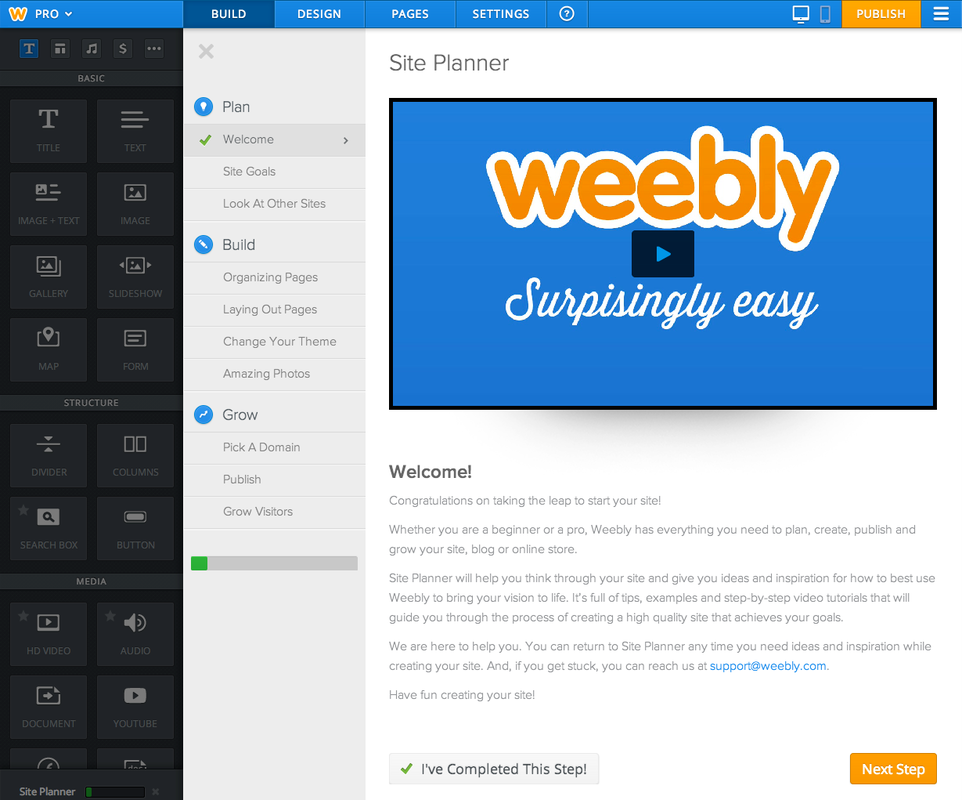
Weebly Design Screen

For my last blog posting…tonight, let’s talk about ‘weebly’.  To start, I would like to say how easy and simple weebly is to use!  The page design section has a variety of style options to choose from and each option is set out clearly for the user.  A weebly can be designed to suit your personality and style and that is something I really like and I feel that learners could truly benefit from.  I know that when I feel connection with something, I am more likely to revisit it and continue to work on it.

Some positive aspects about weebly are the design capabilities, ease of use and enhancement capabilities.  Weebly is very easy to use and can be personalised for each learner and experience.  I personally like that I am in charge of where I want text and images to be placed, instead of just editing pre-placed markers.  I also like that it’s a website that doesn’t require a lot of teaching to be comfortable in using.  For this reflection I conducted a little experiment and got my father, who is not very comfortable around computers, to design a website.  Within twenty minutes, he had constructed a welcome page, placed some images, inserted a quote and placed a divider to create a column structure.  I was really amazed at how someone who wasn’t very comfortable with computers, was able to construct something in a short amount of time. 
I also really like that weebly can be enhanced into something that can be used for a business.  Users are able to add store pages to sell products.  This can be really useful in schools in regards to fundraising or business ventures and I am full steam ahead for any system that teaches the youth of today about money.

I had a hard time thinking of some negatives for weebly and the only thing that came to mind was that it was a static website.  In classroom environments, it’s not a site that can be incorporated into learning experiences, as it is a site that just holds information and can’t be collaborated with other learners.  I think that a weebly could be a great tool for assignments, where students could set out their assignment in a different format, but for the most part, I think that the site doesn’t extend too much beyond a static website.

Along the same lines as the positive aspects, some interesting aspects are how students could manipulate the site into something that they require.  For technological natives, I’m sure that any future learner of mind would be able to impress me with what they could create.  It’s always extremely interesting to see what the youth of today can create and design!

After (not a lot of) thought, I definitely believe that static websites could hold a place in the classroom.  Though they may not have the same functionality as blogs or wikispaces, with the right creative design and thought, they could serve to be a platform for assignment submission, or to get students to display their work in a creative way.  I definitely couldn’t envision it being a regular tool, but a useful tool nonetheless.

To view my current weebly…follow this link

What to do with wikispaces?


As I mentioned in one of my earlier blog posts, wikispaces was an ICT that I had heard of in the past but not used before undertaking ‘Managing e-Learning’.  For the engagement activity we were required to participate in, I liked how the lecturers were able to try and maintain some order within the pages to avoid the messiness that wikispaces is prone to becoming.

After utilising more features of the spaces, I have developed a love/hate relationship.  I like some of the aspects and I don’t like some.  I understand that with most ICT’s you work with, there are going to be those that you like and those that you don’t, however, if I were able to choose which ICT to work with in a classroom, I probably wouldn’t pick wikispaces.  The site is too prone to messiness and without proper procedures set in place for a how a classroom utilises the ICT, it doesn’t seem like a good choice for a high school classroom.  It’s also a site that is a little tricky to use and navigate.  I would classify myself as pretty tech savvy and when I feel lost in a website, I know that it’s something I wouldn’t want to introduce to students. 
I definitely do not like that you need to know the username and password of what other wikispace you would like to visit.  In a collaborative school environment, asking youth to remember generic log in details could prove to be an interesting task.  I completely understand that it is possible, but when you’re in a classroom and the last thing you want is disruptions or time wasters, wikispaces could be just the site that allows those disruptions to happen.


Along those same lines, with correctly instilled policies and procedures it could prove to be useful.  Wikispaces is ultimately an online classroom.  Each student could have a chance to talk and the teacher can trace who said what and when they said it and I’m all for utilising more space.  Regardless of how many perks something has, an ICT is never useful if it’s unruly. 

If I were to introduce wikispaces into my own classroom, the students and I would spend the time going over rules and procedures, ensuring that teachers have a copy of generic details to ensure ease of access and simple ‘netiquette’ rules. 

The SAMR model could be used against wikispaces, much like it was used against blogger.  At the substitution level, wikispaces could be used as a virtual pen and paper where students could write their activities down and go back to it later to highlight and recall information.  To further enhance their learning at the augmentation stage, students could work collaboratively to edit each other’s work and continually build on their collaborative skills.
At the transformative stage, to modify and redefine their learning in wikispaces, students could evaluate the work that they have collaborated together on, to move on to other ICT’s and transform their skills.  Wikispaces could be a useful stepping stone in the gathering of ideas, to move forward onto other ICT’s like podcasting or filming.

Though wikispaces could be a useful tool, it is definitely an ICT I would like to become more proficient in so I can ensure that my students and myself are getting the most out of the technology.

Blogs in the Classroom

As a person who has sporadically and unsuccessfully tried blogging in the past, it’s proving so much easier to recount things in a blog with a plan.  I’m quite familiar with how blogs function and ‘blogger is one that after all of my trials, that I always return to. 

Blogger sets out the blog posting in easy to read and presented format and as someone who has trouble with focusing her eyes, I’m yet to find a blogger blog that has been difficult to read.  From a writer’s perspective, the ease of use is definitely a big positive.  There’s no tricky embedding or coding procedures or hard to navigate customising bar, it’s all displayed in easily recognisable icons.  I also personally like that there isn’t a lot of options to choose from in regards to font styles as I find that just editing the layout and style of the posting, can take me longer than actually posting a blog.  I like that blogger subconsciously ‘allows’ me to spend more time on making sure that the writing is good and much less time on what font I’m going to choose.

Blogger also allows the user to embed links within the post.  For example, clicking the word ‘here’ will forward the reader to my weebly site.  Allows links to be embedded opens up a new world in regards to what the writer wants the viewer to see.  I really like this option, as it gives me the option to show my readers more of the blogs and wiki’s and weebly’s and other sites that I have and therefore open up new bridges of connectivism.

Media can also be embedded with a blog posting.  For example, just below this paragraph, I have inserted a YouTube video of a general overview of what blogging is.  Users can also insert images onto the site, which to me just cries out the possibilities of the potential blogging has within the classroom.  


Blogging can open up a lot of doors in regards to connectivism and learning with the classroom.  As myself and my peers are all now bloggers on the same site, we would be able to share our posts and comment on other's writing.  I really like that blogging is like the ultimate form of connectivism.  As my peers and I all have other commitments in our busy lives, blogging could also be another mode of communication in regards to collaborative assignments.  I know that I have a lot of other commitments in my life and blogging to me, would be an immense help on that front.

Blogging and SAMR

At the substitution level, blogging could be used as a submission method for assignments or as a platform for students to participate in class activities.  In that sense, blogging would become no more than a writing tool for students to write and teachers to check that the work has in fact been done. 

At the augmentation level, blogs could be used as a collaborative tool.  Students could talk to one another via their blog platform to share ideas and work as a team.  Students would be able to demonstrate and present their ideas and share it via a platform that they connect with quite easily.  Students in the 21st century are definitely digital natives, however, many sites have the capabilities to do a lot more.

Students would also be able to modify and redefine their learning to totally transform it!  Blogging has proved to not just end at posting a log of writing and students could use the platform to reflect on their work and treat it like a diary (much like I am now) and therefore have something to look back on for future references.  Students could embed links, images and videos and take other students from one website to another and one video to another and present a whole piece in one practical spot, that wouldn't take too much time to load or redirect.

All in all, I like blogs.  Though there would need to be rules and regulations in regards to using blogs, I could envision them being an informative and useful tool within the classroom!

Yay or Nay - Blogs in Schools

For this engagement activity, we were required to firstly construct a Positive, Minus and Interesting (PMI) chart on the topic of involving blogs into schools.  Using this scaffold, I was able to come up with a few reasons as to how blogs could affect learning in the classroom.


Positive
Minus
Interesting
·      Students are able to find information
·      Functionality of sites are easy to navigate
·      Connectivism
·      Distracting
·      Taking focus from learning
·      Hard to filter what information students may see
·      Have to set aside time to teach students ‘netiquette’
·      Students like technology, so it could prove to be engaging
·      Myriad of resources and learning interests


Though there are only a few statements there, it can be seen that there are always going to be accepting and opposing arguments.  From a personal standpoint, I think that as long as students were taught appropriate rules and regulations about blogs – as with any ICT tool, they could make another interesting tool to the classroom.